

Often times when you work with excel you can use these hacks (simple formulas) in your larger formulas to ease your work. I could think of 25 of them but I am sure there are many. Why don’t you go through these and add to list the ones that you use most often..
1. Count Blank Cells in a Range using COUNTBLANK
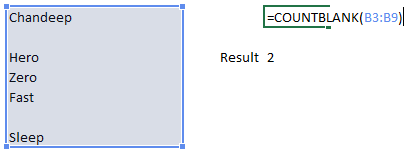
Use this formula for counting only blank cells in a range
2. Count Text in a Range using COUNTA
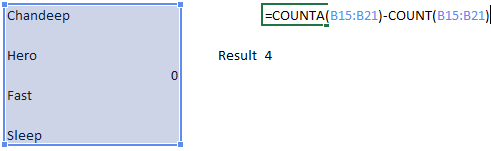
Note that COUNTA will count everything (text and numbers) and COUNT will only count numbers. The difference of these two will give you the number of text items in a range
3. Use Wild cards with SUMIF/COUNTIF for approximation
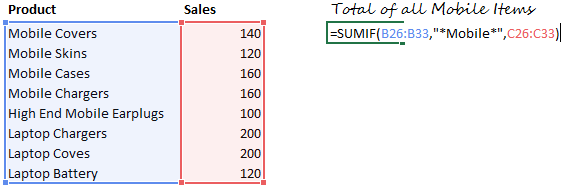
Notice the asterisk (*) sign before and after the word “Mobile” that means there could be anything written before or after the word Mobile. Similar logic can be applied in COUNTIF as well
Related : Learn Countif and Sumif
4. Sum by Clubbing worksheets in a Formula
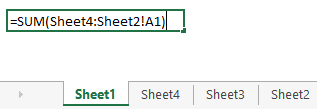
This is will take a total from Sheet 4 to Sheet 2 of the cell A1 on each sheet
5. Rounding off to the next multiple of 100 using CEILING Function
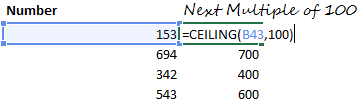
Related : Learn Ceiling Function
6. Rounding off to the previous multiple of 50
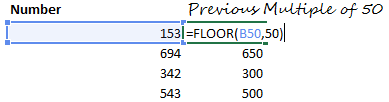
Related : Learn Floor Function
7. Stripping off decimals from a Number using INT Function
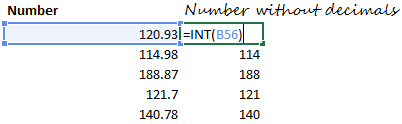
Related : Learn Int Function
8. Keeping only Decimals using MOD and INT
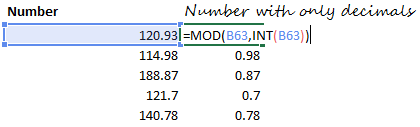
Related : Learn Int and Mod Function
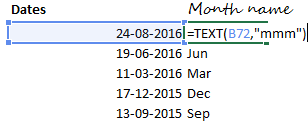
9. Getting the name of the month from a Date using TEXT
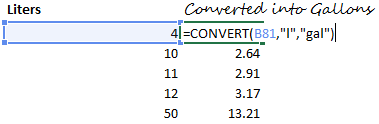
10. Converting values into other
11. Generating Random Numbers

Related : Learn Randbetween Function
12. Generating Random Alphabets (Caps and Non Caps)

- Note that numbers 65 to 90 will return capital letters
- For lower case letters use the numbers 97 (for a) and 122 (for z) in the same formula
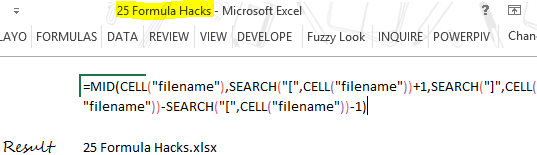
13. Retrieving the File Name Using the CELL, MID and SEARCH
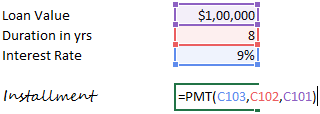
14. Calculating EMIs
15. Matching data EXACTLY

Note that the EXACT Function not only matches the values but even the case (upper or lower) of the text. If the 2 values do not match, it returns a FALSE
16. Removing Extra Spaces
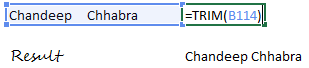
The Trim Function leaves one space by default between 2 words. Read this when your TRIM function fails to remove spaces
17. Changing the case of the TEXT – UPPER LOWER or PROPER

18. Get the Column or Row number of any cell

If you do not write anything in the ROW or COLUMN function, it will return the row or the columns number of the cell in which the formula is written
Related : Learn Row and Column function
19. Transpose your data – Horizontal to vertical or vice versa

- First Select the range where you want to write the transpose the date
- Then write the Transpose formula
- The Press CTRL SHIFT and ENTER to execute the formula
Related : Learn Transpose Function
20. Creating hyperlinks using HYPERLINK

A hyperlink named Blog will be generated will which lead you to www.goodly.co.in
Related: Learn Hyperlink Function
21. Extracting Formulas from the Cells
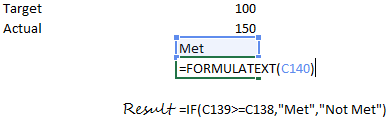
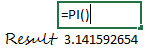
22. Finding the Value of PI
23. Find the power of any number
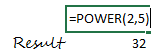
This means 2 to the power of 5. Which can also be written as =2^5
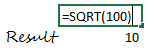
24. Finding the Sq Root of any number
25. Finding the Quotient

Related : Learn
- Quotient Function
- Use quotient for finding Quarter and Indian Financial year Quarter
The Last one is a Bonus and you’ll love it!
26. Converting a number of Roman Numbers

Can you guess the result.. sure enough it is XL
Other Formula Resources
- 100 Excel Formulas Explained [Video Series]
- Make your VLOOKUP formula Robust
- 10 Tips to write better Excel Formulas
- Formula for finding unique values
- Use MIN and MAX to replace IF
- IF Nested IF and Boolean Logic in Excel
- Seven Date formulas to make life easy
What your favorite formula hacks in Excel?
